Blueprint Company Blueprint Plot System Explained
Hub → private plot server, visibility vs build rights, and community plot etiquette.
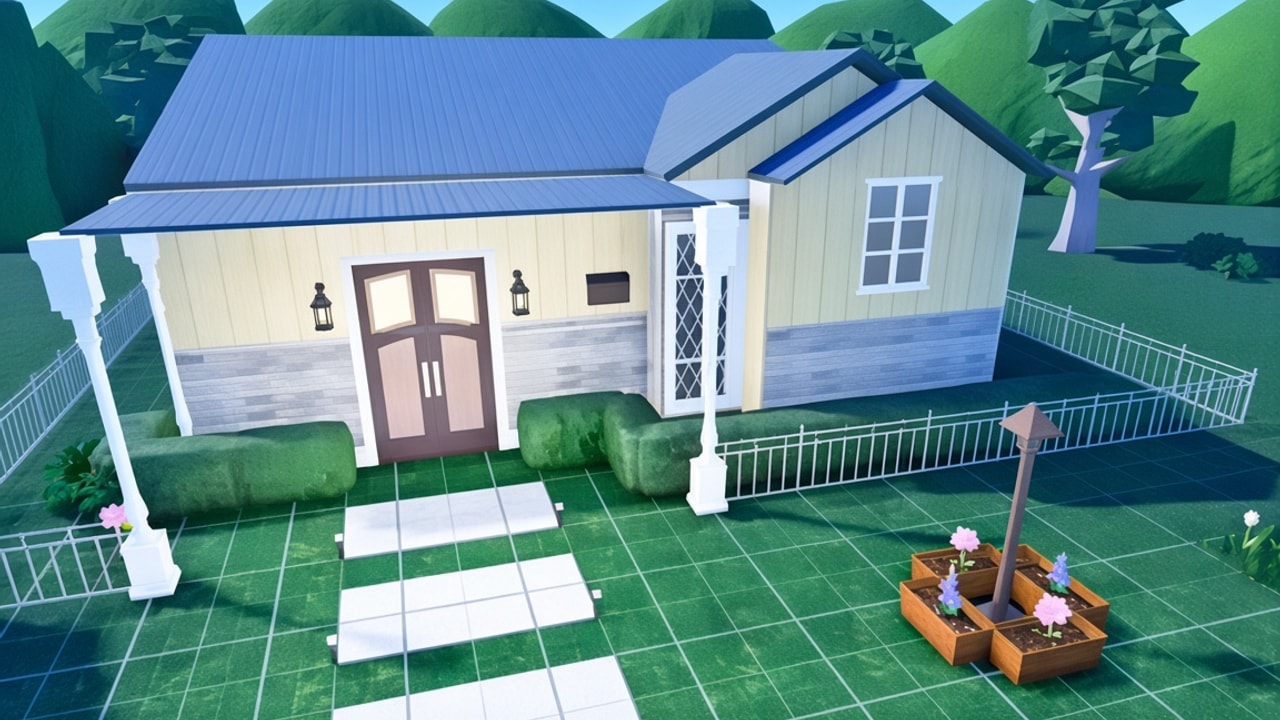
The plot system is Blueprint’s core identity. Instead of claiming a lot inside a shared town, you create a plot from a hub, then load into a private plot server that is essentially your world. Each plot measures 1024×1024 studs — large enough for districts, campuses, or full fantasy cities. This page explains creation flow, visibility, build permissions, offline visiting, and how to avoid grief while collaborating. New players should skim Getting Started first; builders ready to place should keep Building Basics open beside this guide.
Hub flow (create → manage → enter)
From the hub UI (still iterating during testing):
- Choose Create new.
- Set a name, description, and tags so community browsers understand the theme.
- Confirm creation and find the plot under My Plots.
- Adjust whether the plot is private, friends only, or public.
- Optionally set a custom image via an image/decal-style ID field when available.
- Enter the plot to load your private server blank slate.
UI labels can change before release — trust Discord release notes over outdated screenshots. Track broader changes on Updates and Feature Roadmap.
Why private servers matter
A Blueprint plot is not a tiny parcel surrounded by strangers’ houses. It is a dedicated space sized for ambitious builds. That design removes town crowding and zoning fights, but it also means you supply roads, landmarks, and atmosphere. Landscaping props (scalable hills, rocks, and related pieces) exist partly because empty sandboxes feel barren until you author terrain language.
Grid pieces are coarse relative to the full size (community explainers note multi-stud grid units). Plan districts in chunks so you do not lose orientation halfway across 1024 studs.
Visibility vs build permissions (mix and match)
Treat these as two separate axes:
Visibility / join access
- Private — only you (and any explicit exceptions the tools allow)
- Friends only — Roblox friends can find/join per current rules
- Public — appears for community browsing / public join paths
Build permissions
- Everyone — any visitor who can be there may build
- Certain people — allowlist builders
- View only — visitors can explore without editing
Useful combinations:
| Goal | Visibility | Build rights |
|---|---|---|
| Solo WIP | Private | View only or self-only |
| Trusted co-op | Friends | Certain people |
| Public gallery | Public | View only |
| Community megabuild | Public | Certain people or everyone (high trust) |
| Roleplay visit shell | Public | View only |
Never leave public + everyone on an unfinished plot unless you truly want strangers editing. For showcases, public + view only is the default safe pair.
Offline owner visits
A standout Blueprint feature: visitors can join public (and appropriately configured) plots even when the owner is offline. That enables museums, campuses, and roleplay maps as persistent destinations — closer to a shared creative world than to “come over while I host.” Owners should still moderate allowlists; persistence without moderation invites grief.
Community plots and etiquette
Community plots succeed when roles are explicit:
- Mayor / owner — permissions, demolition authority, theme veto
- Zoning leads — roads, parks, skyline caps
- Parcel builders — interiors and mid-scale structures
- Detail crew — props after shells freeze
Write rules in the plot description. Agree whether basement digs and pool cuts need approval (Roofs, Floors & Pools). Use Discord threads for change requests so chat scroll does not erase decisions. More people-focused tips will live under Players.
Performance and scale tips
- Build in districts with intentional gaps; continuous max-density megastructures punish low-end devices.
- Prefer modular blocks you can duplicate rather than one inseparable mesh of parts.
- Test visit on friends-only before flipping public.
- During private testing, report permission bugs with exact visibility + build right settings (How to Become a Tester).
What plots are not
- Not a cash shop lot — no codes economy
- Not a place that needs exploit scripts to expand
- Not a Bloxburg-style neighborhood claim — see Blueprint vs Bloxburg
Controls that matter on big plots
Camera distance, selection discipline, and multiplayer courtesy matter more at city scale. Read Controls before hosting five builders at once. PC-first input is the testing baseline; mobile comes later.
Related reading
- Building Basics — what to place first on the blank slate
- Roofs, Floors & Pools — vertical expansion rules of thumb
- Public Testing — when broader join access arrives
- Official Links — Discord and Carrd for live UI changes
Master the plot system and Blueprint stops feeling like “another house game.” It becomes a permissioned creative server you can share, curate, and scale — with a footprint large enough that planning is part of the craft.
Frequently Asked Questions
Quick answers to the most common questions.
How big is a Blueprint plot?
1024×1024 studs. You create it from the hub and build inside a private plot server.
Is there a shared town with neighbor lots?
No. Blueprint plots are blank slates. You author the entire environment.
Can people visit my plot when I am offline?
Yes for appropriately configured public (and similar) plots. Offline visiting is a core community feature.
What is the difference between public and everyone can build?
Public controls who can find/join. Build permissions control who can edit. You can make a plot public but view-only.
How do I stop grief on a community plot?
Use certain-people allowlists, keep unfinished work view-only, and appoint an owner who can revoke build rights quickly.