Blueprint Company Blueprint Building Basics
From empty 1024×1024 slate to a clean first build — practice workflows that scale to cities.
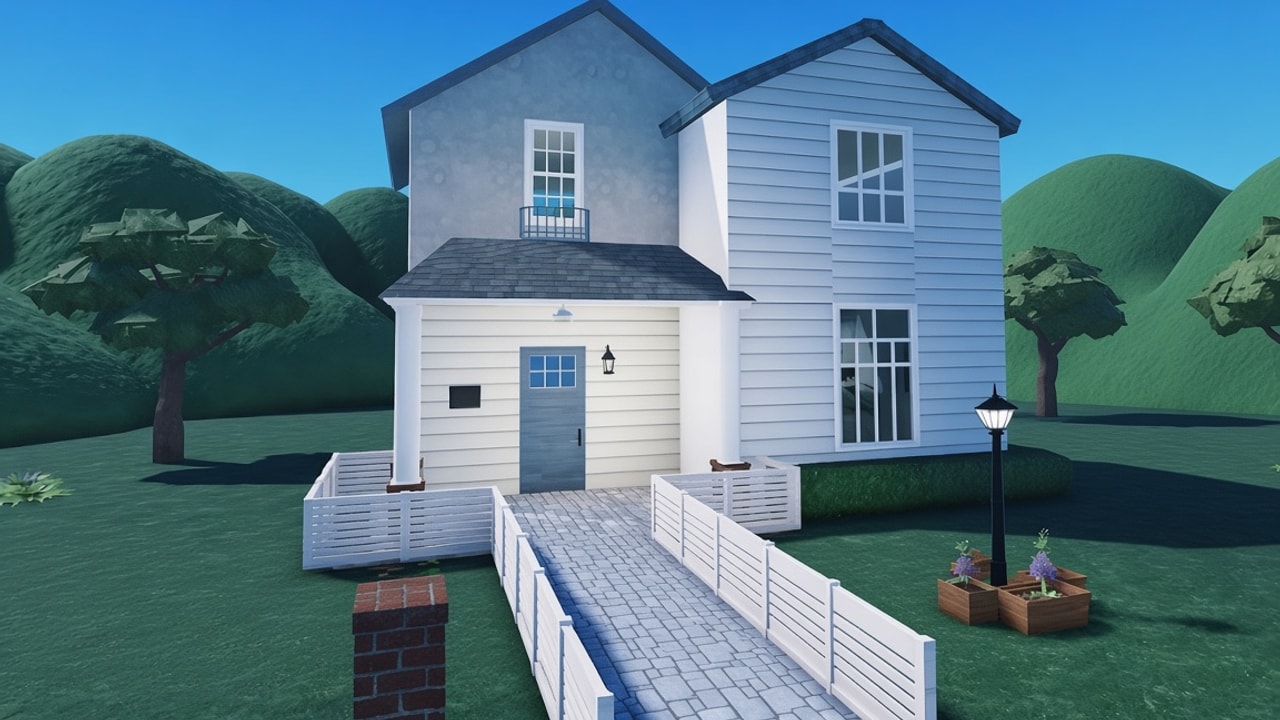
Blueprint gives you a blank 1024×1024 stud plot with no cash gate and no gamepass unlocks. That freedom is the feature — and the trap. Without a money meter telling you when to stop, beginners often either freeze or spam the entire lot on day one. This guide teaches a practice-first workflow: small structures, readable circulation, then vertical and landscaping complexity. Watch the dorm build video on this page for a concrete scale reference, then expand using Roofs, Floors & Pools and Plot System.
If you are not in yet, finish Getting Started and How to Become a Tester first. Building advice still helps: draft floor plans offline so tester time goes into tools, not indecision.
Mindset: sandbox, not paycheck
In economy builders you unlock better walls by grinding. In Blueprint you already have the sandbox. Your constraints are taste, performance, collaboration permissions, and your own plan. Riley has emphasized fewer item caps than games that throttle decorations per category. Use that to detail hero rooms — not to place 10,000 identical props with no hierarchy.
Compare design goals anytime in Blueprint vs Bloxburg. Here we stay practical: how to place a strong first building.
Recommended first project sizes
| Project | Why it teaches well | Next upgrade |
|---|---|---|
| Dorm / studio flat | Footprint, furniture scale, one bathroom | Add corridor wing |
| Cabin + porch | Exterior silhouette, roof practice | Add loft floor |
| Plaza kiosk | Public-facing props, paths | Expand to strip mall |
| Micro campus (3 shells) | Spacing between buildings | Roads + courtyard |
Avoid starting with “entire city” unless you already co-build with a team and a zoning map. Cities are supported by plot size — they are not required for learning.
Blank-slate workflow (step by step)
- Orient on the plot. Pick a corner or center anchor. Mentally divide the 1024×1024 into quadrants so you always know where “downtown” will be later.
- Lay circulation first. Paths, roads, or courtyard loops prevent buildings from trapping each other. Even a dorm plot benefits from a clear entry vector.
- Block the shell. Walls and floors before clutter. Confirm door heights and window rhythm.
- Add one vertical move. A second floor, loft, or basement teaches stack rules early (Roofs, Floors & Pools). Blueprint supports up to 16 floors + basement — you do not need all of them on build one.
- Roof with intention. Hip, gable, hollow, and related styles change silhouette more than wallpaper does. Pick one family per building.
- Detail interiors second. Furniture density reads better after light and circulation work.
- Landscaping last-mile. Scalable hills and rocks help fight empty-lot syndrome; place them to frame the build, not hide mistakes.
- Permissions check. Before inviting friends, set visibility and build rights correctly (Plot System).
Free placement habits that stay readable
- Grid discipline: Even with free placement, align major walls to a consistent module so expansions match.
- Height rhythm: Alternate 1–2 story masses before jumping to towers; skyline noise is hard to undo.
- Material families: Limit exterior palettes per district. Infinite choice needs self-imposed themes.
- Negative space: Leave yards, courts, and street widths. A full plot of touching footprints feels smaller, not denser.
- Landmark first: One hero facade helps visitors navigate public plots.
Co-building without grief
Blueprint shines when owners share plots. Agree on:
- Who owns roads vs parcels
- Whether interiors are free-for-all
- How to request demolition of someone else’s wing
- Whether the plot is public view-only during construction
Owner-offline visiting is a major feature for community showcases — protect unfinished work with view only until shells are done. More etiquette notes belong with Controls for camera and selection safety, and with Players as collaborator guides grow.
Practice drills (30–60 minutes each)
- One-room perfect: Build a single bedroom with correct bed clearance and window alignment.
- Roof swap: Same footprint, three roof styles; screenshot silhouettes.
- Basement add-on: Dig under a finished cabin without breaking the entry stair.
- Pool court: Small swimable pool with deck edges that meet paths cleanly.
- Permission rehearsal: Alternate friends-only edit and public view-only; confirm guests cannot move your walls.
Timed challenges (see community 30-minute builds) are excellent once basics click — they force decisions. Use them after dorm scale feels easy, not before.
Performance and politeness
Huge plots can host entire cities, but visitor devices vary. During testing, prefer modular districts you can hide or simplify later. Avoid untested scripted gimmicks; this wiki does not promote scripts. There is nothing to buy with codes, so spend energy on composition instead of redemption loops.
From basics to systems
When the dorm feels too small:
- Stack floors and pools via Roofs, Floors & Pools
- Tune sharing via Plot System
- Refine input via Controls
- Track new tools on Feature Roadmap and Updates
Building basics in Blueprint are less about unlocking items and more about directing abundance. Start small, name your districts, protect permissions, and let the 1024×1024 plot earn complexity only after your first silhouette looks intentional.
Frequently Asked Questions
Quick answers to the most common questions.
What should I build first in Blueprint?
A dorm, cabin, or small plaza. Small footprints teach tools faster than an entire city on day one.
Are there item limits like other building games?
Blueprint aims for far looser caps than games that tightly limit decorations per category. Still build with hierarchy so plots stay readable and performant.
Do I need money or gamepasses to place advanced parts?
No. Blueprint has no money system and no gamepasses for building freedom.
When should I add pools or basements?
After the ground-floor shell and circulation are stable. See the Roofs, Floors & Pools guide for stack and swimable pool tips.
Can friends help me build?
Yes. Set plot visibility and build permissions so trusted people can edit while public visitors remain view-only if you prefer.